AI document scanner for Android. One tap per job.
Scan a page to a clean PDF, extract its text, import a PDF, turn photos into one PDF, scan an ID card onto one page, sign, convert to Word — then ask AI about any of it. Every job starts with one tap on the Home screen.
Free to download · Android · 3 free scans and 3 free text extractions a day · Premium $5.99/week after a 3-day free trial
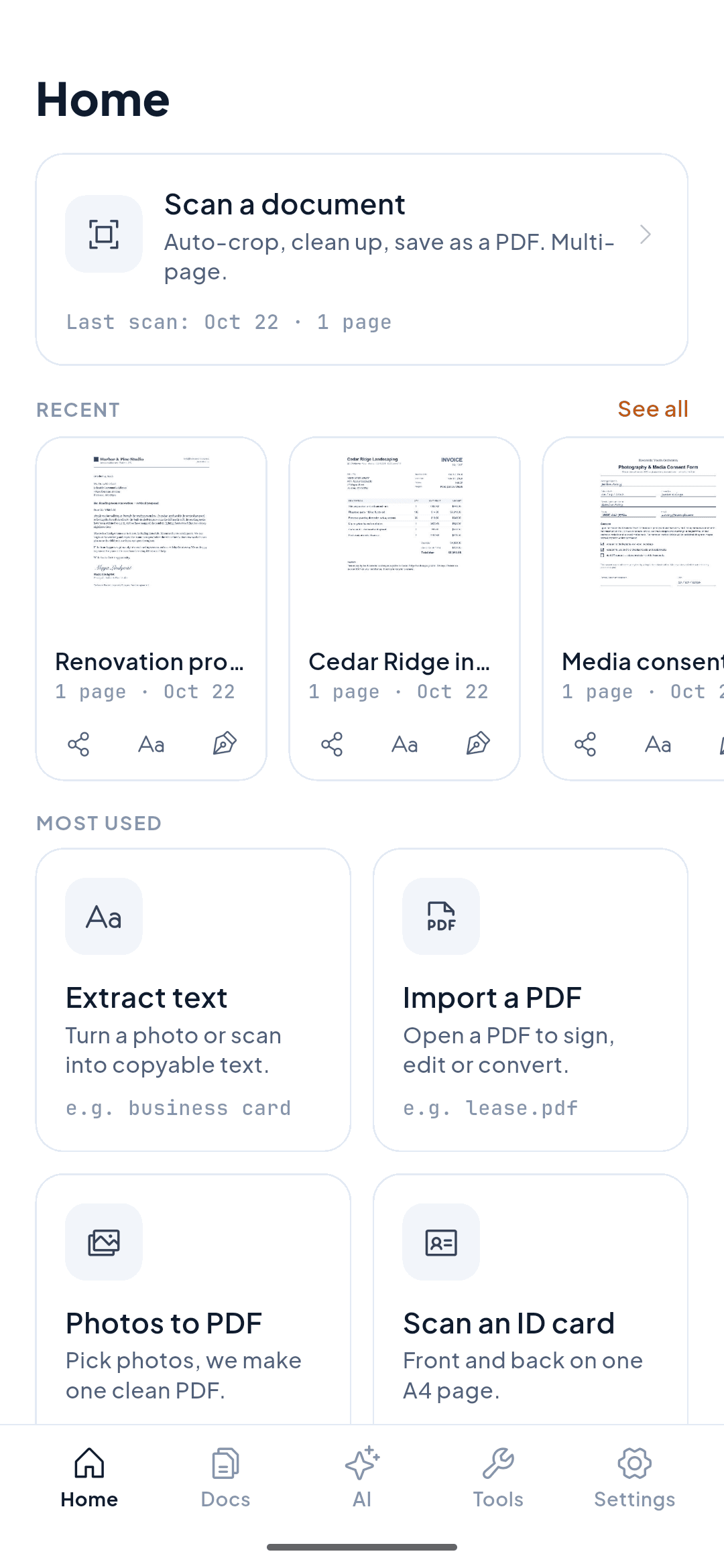
What’s on the Home screen
The most-used jobs, each one tap from the first screen — with the same example the app shows you.
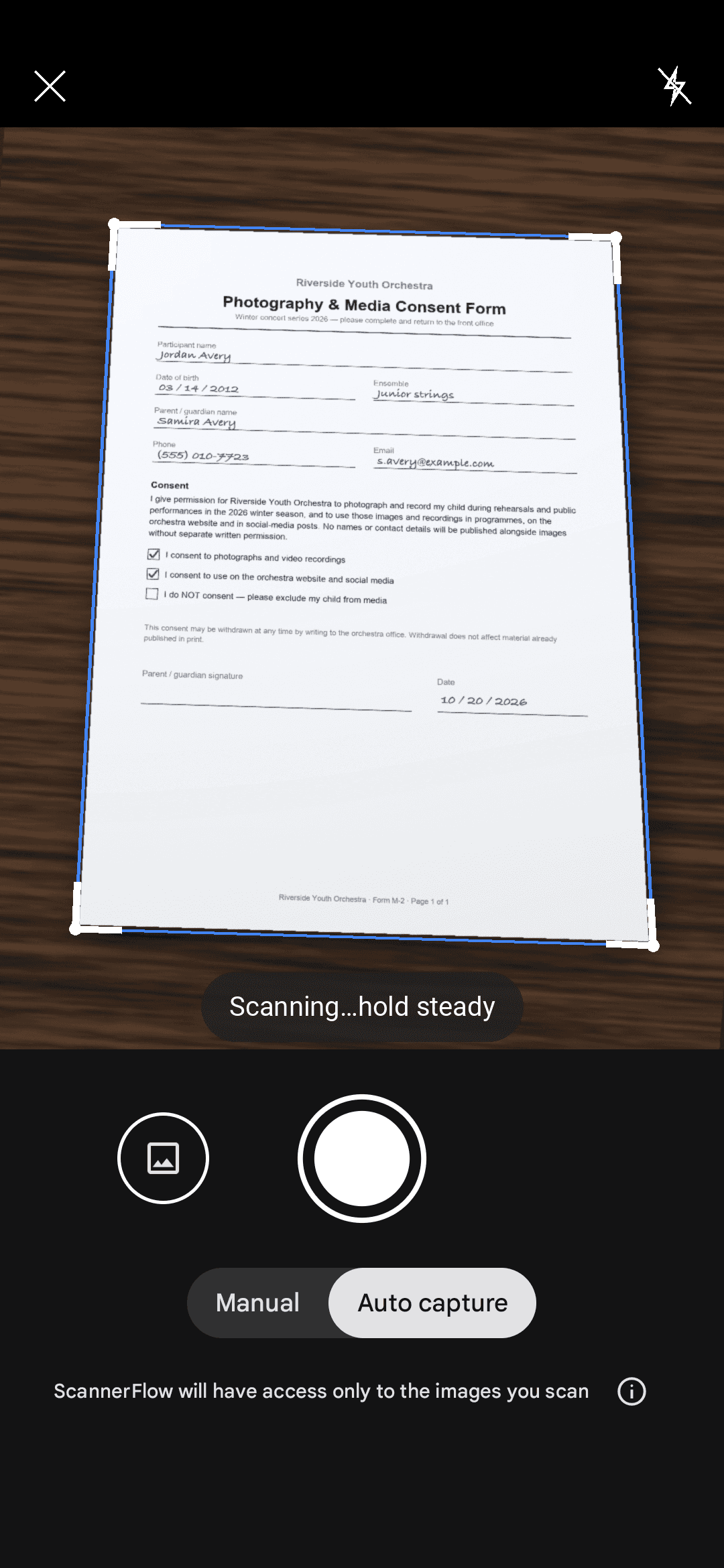
Scan a document
Auto-crop, clean up, save as a PDF. Multi-page.
e.g. a receipt, a signed form, a letter
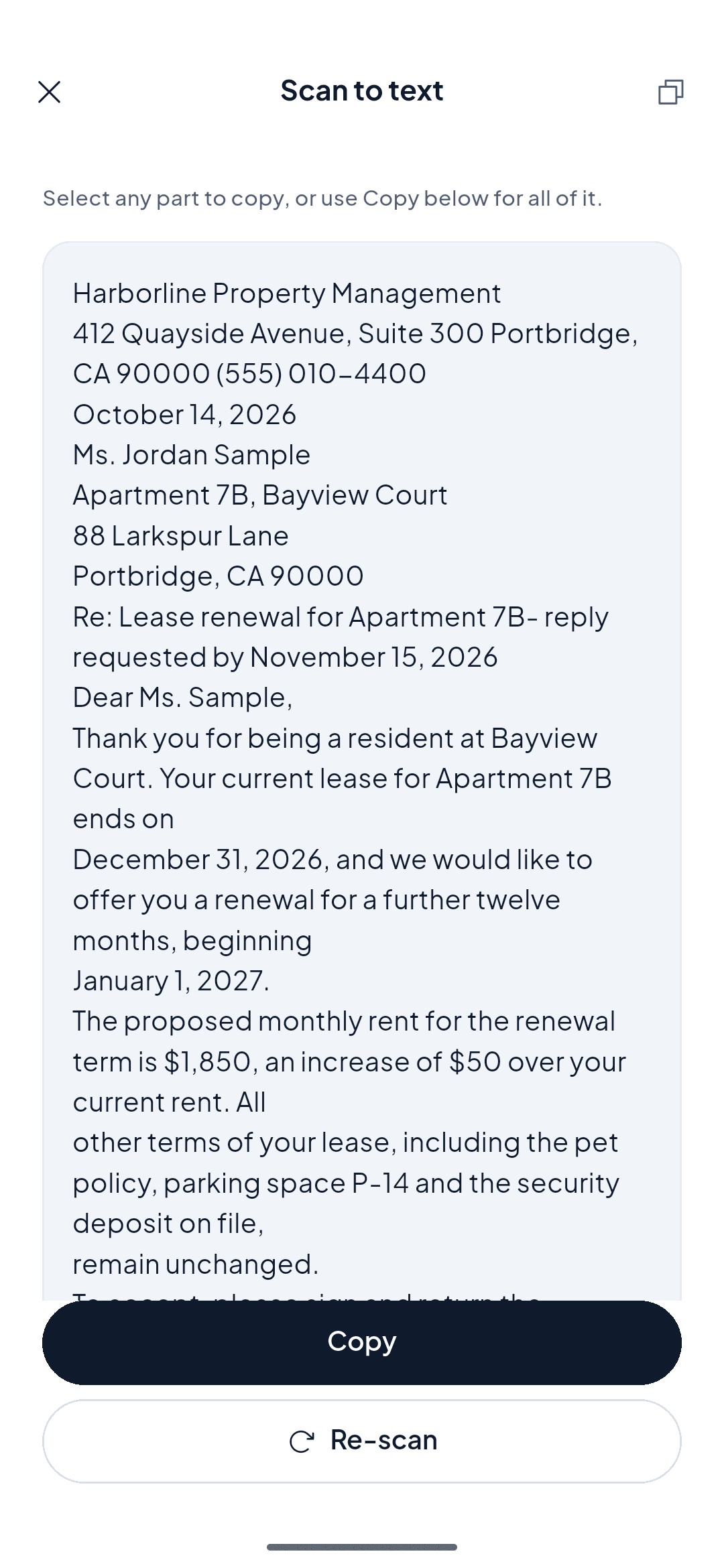
Extract text
Turn a photo or scan into copyable text.
e.g. a business card → contacts
Import a PDF
Open a PDF to sign, edit, compress or convert.
e.g. lease.pdf → signed
Photos to PDF
Pick photos, we make one clean PDF.
e.g. 4 photos → Notes.pdf
Scan an ID card
Front and back on one A4 page.
e.g. driver’s licence → ID.pdf
Sign a document
Draw once, place it on any page.
e.g. consent form → signed.pdf
Convert to Word
Editable .docx from any scan or PDF.
e.g. contract.pdf → contract.docx
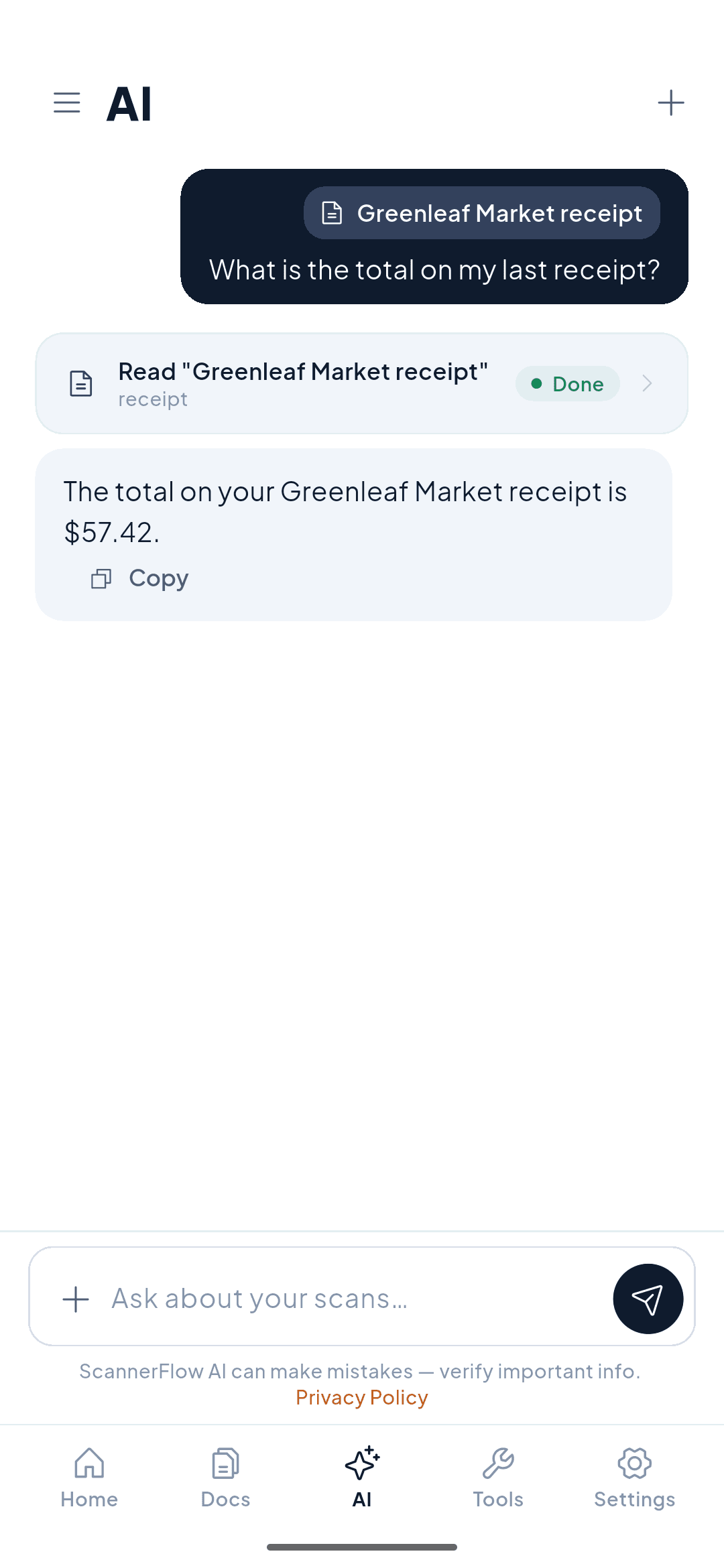
Ask AI about a document
Summarise, find a date, fill a form, rename or file it — by chatting.
e.g. "What’s the total on my last receipt?"
All tools: QR code · passport · book and slide modes · compress · merge · split · PDF to JPG · password-protect · add a watermark · PDF to Excel. Password protection, Word/Excel conversion and the watermark tool are Premium; everything else is free to use.
See it in the app
Real screens from ScannerFlow on Android.
Simple pricing
Start with a 3-day free trial on the weekly plan. Cancel anytime directly in Google Play — no hoops.
Weekly
Most Popular3-day free trial
Monthly
No trial
Annual
No trial
then $59.99/yr
Free plan
No account required to start
- 3 scans and 3 text extractions a day
- 10 AI messages a day
- Multi-page scanning, ID card, passport, book and slide modes
- Sign, edit pages, import a PDF, photos to PDF
- Compress, merge, split, PDF to JPG, QR scanner
- Encrypted cloud backup (1600 px)
- Exports carry a small “Scanned with ScannerFlow” mark
Premium adds
Weekly, monthly or annual
- No daily cap on scans
- No daily cap on text extraction (OCR)
- Exports without the “Scanned with ScannerFlow” watermark
- Convert to Word (.docx) and Excel
- Password-protect PDFs and add your own watermark
- Full-resolution cloud backup
- More AI messages per day
Cancel anytime in Google Play → Subscriptions. No charge for 3 days. After trial, $5.99/week until you cancel. Prices in USD; Google Play shows your local price at checkout.
Frequently asked questions
Every day you get 3 free scans and 3 free text extractions, plus 10 AI messages. Scanning (including multi-page, ID card, passport, book and slide modes), the page editor, signing, importing a PDF, photos to PDF, compress, merge, split and PDF to JPG are all free to use. Free exports carry a small “Scanned with ScannerFlow” watermark. Premium lifts the daily caps, removes the watermark, and adds Word and Excel conversion, password protection, the watermark tool and more AI messages.
Your scans are backed up automatically to encrypted cloud storage (Firebase / Google Cloud) — encrypted in transit and at rest — so a lost phone does not mean lost documents. Text recognition (OCR) runs on your phone. AI features (chat, summaries, translation, photo analysis) send the document’s text or image to our AI provider, OpenAI, to produce the answer. There are no ads or third-party ad SDKs, and we never sell your data. See our Privacy Policy for full details.
Yes — text recognition runs on your device with Google ML Kit, so extracting text does not need a connection. Cloud backup and the AI features do need one.
The AI tab, summaries, translation and photo analysis are powered by OpenAI models. The text of the scan (or the image, for photo features) is sent to OpenAI to generate the answer; OCR itself stays on your phone.
The weekly plan includes a 3-day free trial. You won't be charged until day 4, and Google Play emails you before the trial ends. After the trial, your subscription renews at the weekly price shown on the Google Play purchase sheet (currently $5.99/week in the US) until you cancel.
Open Google Play → tap your profile icon → Payments & subscriptions → Subscriptions → ScannerFlow → Cancel subscription. In the ScannerFlow app, Settings → Subscription → "Manage in Google Play" opens the same page. Cancellation takes effect at the end of your current billing period.
Not yet. ScannerFlow is currently Android-only.
Canceling does not delete anything. Your documents stay in your cloud library for as long as your account exists — you simply go back to the free tier limits (3 scans and 3 text extractions per day, watermarked exports). You can export to PDF or JPEG at any time, and you can delete documents or your whole account from inside the app.
PDF (single or multi-page) and JPEG on every plan. Premium adds Word (.docx) and Excel conversion. Sharing is always free: tap Share on any document to send it via Gmail, Google Drive, WhatsApp, or any app on your phone.
Start here
- AI document scanner
Scan a page, then ask AI to summarize, translate or find a detail.
- ID scanner to PDF
Front and back of an ID card on one A4 page, ready to send.